BRIGANDINE ABYSS PC Settings and Performance
What the options menu actually does, Steam Deck compatibility, and the launch-week performance complaints with real fixes.
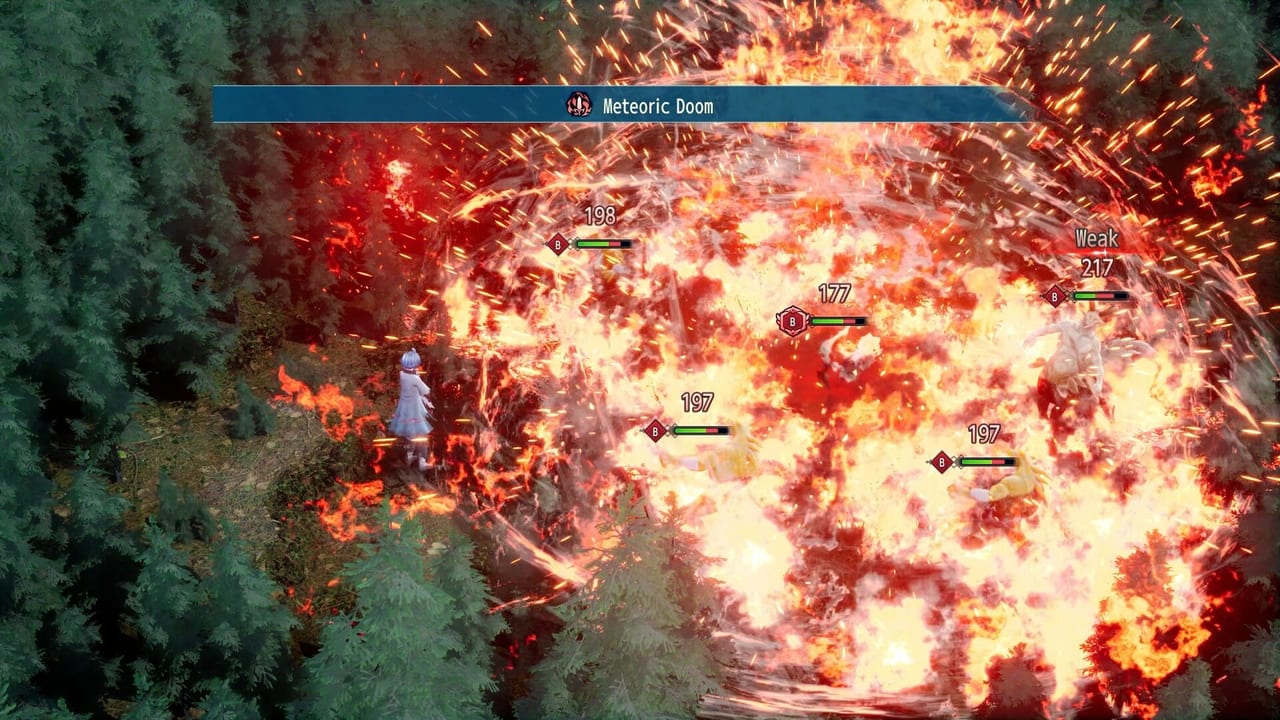
BRIGANDINE ABYSS launched on Steam on August 26, 2026, on a UE5 build that several reviewers and Steam users flagged for uneven performance. This page is the launch-week practical guide to the PC options menu, the Steam Deck compatibility profile, and the workarounds reviewers and streamers documented for the most common complaints. None of it requires third-party mods or unofficial patches; everything below is in the shipped options menu, in the Steam client, or in Windows itself.
The console builds are separate. Nintendo Switch 2 ships at a locked 30 frames per second by design. PlayStation 5 and Xbox Series X|S run the same campaign with full controller support. This page is PC only. For console options, use Controls and Release Info.
Adglobe developed the game. Happinet ships it in Japan, NIS America ships it in the West. Standard price is $49.99. There is no multiplayer, so the performance fixes here are about a single-player hex war, not matchmaking.
What PC version 1.01 added (the real QoL list)
The PC build at launch ships the same quality-of-life toggles that producer Masaru Saito’s 8 July 2026 letter promised for Demo Ver 1.01. None of this is a bug patch list. It is a menu of toggles and slider positions that the team confirmed in advance.
The list, as published in the producer letter and reflected in the Steam retail options screen:
- V-Sync toggle (on or off).
- Frame-rate cap options: 30, 60, 120, 144, and unlimited.
- Unit color coding: turn ally-versus-enemy highlighting on or off.
- Unit size: Default, Medium, or Small.
- Buy usable gear directly from the change-equipment screen.
- Mouse edge-scroll on the world map.
- A pile of miscellaneous bugfixes the team did not publish as an itemized list.
The Controls page repeats the option list. The Release Info page lists the platform facts and PC 1.01 in context.
Steam Deck: officially Playable, with caveats
SteamDB rates BRIGANDINE ABYSS as Playable on Steam Deck. The summary says the game runs successfully on SteamOS but requires manual configuration of graphics settings to perform well, and that all functionality is accessible with the default controller configuration. In-game interface text is legible on the Deck.
Two practical caveats from the Steam Deck verification:
- The game does not default to external Bluetooth or USB controllers on Deck, and may require manually switching the active controller via the Quick Access Menu.
- The recommended Proton runtime is
proton-11.0-beta. Older Proton versions have caused launch issues for some users; switch the runtime in the Steam client under the game’s Properties → Compatibility if you boot into a black screen.
If you play on Deck, plan on dropping the frame-rate cap to 30, shrinking unit size to Small, and turning unit color coding on. Those three changes make hex reads possible on the smaller screen and keep the camera responsive on the world map.
The actual launch-week complaints
The launch-week PC review from RPG Site noted that even on low settings, the test PC was throttling, and that Unreal Engine 5 backgrounds versus unimpressive unit models were the visual contradiction. The Steam review aggregate (SteamDB rating 40.62 percent positive across 186 reviews at launch week) corroborates the same set of complaints from user reviews. The recurring themes are:
- Frame-rate drops on the world map and on hex battles with three full squads, even on hardware that exceeds the recommended spec.
- CPU-bound stutter during enemy turn resolution.
- Cutscene frame pacing on lower-end hardware.
- Mouse cursor disappearing on the equip screen at high DPI without manual restart.
None of these are fixed by waiting on a patch notes fantasy. They are fixed by the options below.
Concrete fixes that have worked for reviewers
The fixes below are settings that ship with the game. They will not turn a low-end laptop into a high-end desktop, but they will recover most of the headroom the launch build is leaving on the table.
For world-map responsiveness:
- Cap the frame rate at 60 if you do not need 120. The unlimited cap exposes CPU-bound hitches when the world map loads new adjacent territories.
- Turn V-Sync on if you are seeing screen tearing at 60. Turn it off if you are seeing input lag with a 144 Hz monitor.
- Use mouse edge-scroll to push the camera instead of dragging. The drag code path is heavier than the edge-scroll path on some drivers.
For hex battles:
- Switch unit size to Small on maps with three full squads. The visible silhouette difference is minor; the GPU saving is real.
- Turn unit color coding on. Toggling this off forces the renderer to handle more per-frame state changes during selection highlights.
- Avoid placing three of your squads on the same contour line on elevation maps. The overdraw penalty is significant in the UE5 build, and tighter lines also feed into AoE losses. The Combat Tips page covers the hex tactics.
For the equipment screen:
- Restart the game once if the mouse cursor disappears. The Demo Ver 1.01 cursor fix does not survive a windowed-to-fullscreen swap on all driver versions.
- Buy gear from the change-equipment screen instead of bouncing through Niffrom’s Market. It is the same shop interface and saves a load.
For Steam Deck specifically:
- Set the frame-rate cap to 30 and V-Sync on. The Deck’s screen caps at 60, but 30 keeps the camera panning smooth during world-map load.
- Use Small unit size on hex battles. The Deck’s 7-inch screen cannot read Default anyway at the default camera distance.
- If you boot into a black screen, switch to Proton 11 beta under Properties → Compatibility in the Steam client.
What this page refuses to invent
There is no published list of frame-rate fixes per hardware configuration. There is no benchmark spreadsheet for every GPU. There is no third-party patch that flips performance flags the developers left closed. If a forum post claims a 47 percent frame-rate boost from an unsigned .ini edit, treat it as fan rumour until a publisher note ships.
Saito’s July 8 letter is the source for the QoL list. SteamDB’s Steam Deck verification page is the source for the compatibility rating. RPG Site’s launch review is the source for the low-settings throttling observation. Everything else on this page is in the public options menu or the Steam client.
If a real patch lands, it will be a dated heading on Updates. Until then, this page is the launch-week practical guide.
Frequently Asked Questions
Quick answers to common questions about BRIGANDINE ABYSS.
Is BRIGANDINE ABYSS Steam Deck compatible?
Yes. SteamDB rates it Playable. You will need to drop the frame-rate cap, shrink unit size, and may need to switch the Proton runtime to 11 beta if the game boots into a black screen.
What is the frame-rate cap on PC?
30, 60, 120, 144, or unlimited, with an optional V-Sync toggle. Pick 60 with V-Sync on for the best balance on most hardware. Pick 30 if your laptop throttles on the world map.
Will a future patch fix the launch-week performance complaints?
Watch official channels. Producer Masaru Saito already shipped Demo Ver 1.01 once on community feedback. The Updates Hub is where a real patch list would appear.
Can I turn off unit color coding?
Yes, but turn it on if you keep mis-clicking ally versus enemy on hex battles. The toggle is in the same options menu as the frame-rate cap.